4.7.10


We last left our intrepid heroine on the brink of disaster, lost in Linux's Labyrinth, a sinister lair riddled with rabid daemons, ports to nowhere, and sockets with jaws of steel. In search of her companion, Apache Web Server, our plucky heroine must battle the evil forces that threaten sudo shutdown at every turn...


If our heroine had directions, written in HTML, to help her navigate the treacherous labyrinth, it might look like this -->

She wouldn't make it past port 22 with that bit of unhelpful information. Our heroine would have to make her best guess as to which port is that port, where is there and what thing is that thing. The HTML jacks up her adrenaline with all the bold and the italics and the large font, but that's about it.


Our heroine would do much better with directions written in XML, because metadata is included within the document itself. Should she want to know which port to avoid, well, it's


Luckily for her, our heroine had previously taken two courses which helped prepare her to understand XML: Organization of Information followed by Cataloging. Her cataloging instructor spent a couple weeks exposing the class to XML and working with it a bit. She was able to reread those sections in Lois Chan's Cataloging and Classification in order to remind herself what she had previously learned.

This is not to say our heroine remembered everything from the cataloging course. As a visual learner, and one who usually learns better through a person than an inanimate object such as text, she used Mark Long's lecture series in UA CBT almost exclusively. Mark Long's lecture is pretty good, because he explains what he's talking about as opposed to merely reading the slides.

As an adventurer, and one who is fond of derring-do, our heroine attempted to learn more about XSLT through w3schools. After perusing through that, and HTTP Request, and XPath, our heroine determined that the best use of her time was to prepare for her work with Apache Server. (Never fear! Our heroine has not been defeated by XSLT, much like the Swamp Fox of the American Revolution, she's run away to fight again!)

And so, our heroine reviewed the basics of what she had learned last semester, and solidified her understanding of what XML can be used for, and dabbled a bit in more advanced XML-- mostly via video, with a dash of w3schools thrown in. 

She felt confident in her basic understanding of XML, ready to tackle the dangers of Linux's Labryinth! Stay tuned for the thrilling conclusion to our story: "XML Marks the Node;" or "XARGS: Revenge of the Gnomes."

26.6.10

Torpedoed!

So, this week one of our assignments for class was to design and post a basic web page. I've been dabbling in HTML for a few years-- took a community college web design class and tweaked the web page I used for my class when I taught school. Last year, for 504, I created a simple web page and was able to not only revisit some of what I already knew, but also dabble a little bit more with CSS. What nearly killed me then tried it again this time.


Float.


I suck at float and one of the reasons is that I don't do much with HTML or CSS on a regular basis. I have to retrain myself to a degree each time I tackle a web page. For this assignment, I looked at what I had done last summer and revised it. I had used div to float my picture and caption then and it when I looked at it again this summer, it looked ugly. Not to mention that apparently I had another div class for a second image that was not in my html (and a background image property that I didn't have either). So besides editing and changing the content and some of the style, I deleted some of the extraneous stuff.

Oops.

When I refreshed the page, my picture slammed back over to the left side of the page. The caption went from red italic to blue roman (matching the rest of the text). Any and all edits I made in CSS were not recognized by the HTML page. Just to make sure I had the right page open, I changed content in HTML. It showed up in my web browser; I knew the CSS was the problem.

For almost an hour I researched and looked at examples of floating, and everybody's got a different way of doing it. Some use one class, some use several. I tried everything. Finally I decided that since I only had one picture, I didn't want to use a class anyway. I wanted to use an ID. As I was doing that, I noticed something very peculiar... and it was the hideous


curly bracket of death.


What I had been researching, in a macro-analysis of the problem, was what I had done wrong with the code. I'm not brilliant with CSS or any aspect of web design. I make hideous mistakes all the time. I knew I had made one this time, too. What I should have been doing was reading what I had typed-- or rather what I hadn't typed-- a little more closely. Open curly bracket: yes. Closed curly bracket: oops.

I closed the #dm section of my css with a curly bracket, refreshed, and... We have a floater.

I can't tell you the sense of satisfaction of seeing a doofy little picture move from left to right. It's embarrassing in the grand scheme of things, but boy did I feel like I accomplished something.

Oh, I also cleaned up the caption's style and learned how to place margins in the body of the web page. So, in the end it was OK, I guess, that I spent so much time looking for something I didn't need to know.

19.6.10

I'm going to tell you a little story about myself and then I want you to guess what kind of learner I am.

When I was in 5th grade, Rubik's Cubes were all the rage. Naturally, I needed one. I loved that little thing. In the first minute I had it cut open from the its plastic wrapping, I had turned it every which way. I liked to solve sides at a time and make little checkerboard patterns. The ultimate solution always eluded me, however, which frustrated me to no end. My dad bought me a Rubik's Cube solution book. It was about 60 pages long with diagrams, none of them color. I didn't get past page two. 

One day at recess I noticed one of my classmates with a perfectly solved Cube. I knew he'd had it a while, so I asked him to teach me how to solve it. He got out his pocket knife. We could carry pocket knives to school then. "I pop out the pieces," he explained. I asked him to pop out my pieces because I wanted a perfect Rubik's Cube again. He complied but managed to break one of the little squares a bit, so that it always fell out if tipped the wrong direction. Also, he scuffed up the white stickers so much that we had to take them off, creating one black side. 

But I had my perfect cube again. I loved making little checkerboard patterns that were mirrored all over the Cube. I didn't twist it every which way again, though I had kids grab it and do that (a yellow piece always dropping and the kid crying in alarm, "I didn't do that!"). But of course by then I knew how to reassemble my little broken Cube.

I did feel guilty about tearing it apart and "cheating." I felt that I was punished for that when the one little yellow piece breaking. It also wasn't so much a puzzle as a gadget to make colored patterns with. However, I was no longer frustrated. Only defeated.

So, the moral of the story? The type of learner I am?

An impatient one, for starters. I like to start out by doing and then stop once I get the feel for something to read up on it. I like big picture somewhere along the way to help me understand why I am doing the small steps. Unfortunately, with Rubik's Cube, I could never see the pattern of the twists and turns: why when I twisted it this way, that would be the result. I suck at spatial orientation. So I sucked at Rubik's Cube.

If I had ever seen an animated video showing me the Rubik's Cube pattern, I may have done a little better, as I am a visual learner far and above verbal and tactile. But I doubt it, because it would still involve too many moving parts (literally), something I have trouble with when learning a concept. However, I do remember the animated TV show Rubik, the Amazing Cube, in which three Puerto Rican kids fight bad guys with the help of Rubik, the flying, talking crime-busting cube. It must have been the absolute dumbest TV show ever. Good times.

So I try to take advantage of various videos, diagrams, and images to help me understand a little better and see the patterns that help form the big picture. Sometimes it works, sometimes I have to talk my self out of mind-implosion from TMI and not enough patience to let it settle in. 

I wonder if Rubik knows how to convert decimal to binary, or create a subnet ID? Probably.


13.6.10

The great and powerful

So I got a taste this week of the POWER OF THE SYSTEM ADMINISTRATOR. It's fun adding users who can't use my system until I'm done adding them... and I will be done when I'm good and ready! And only giving users permissions I want them to have. They will have to be nice to me. Ha ha ha ha ha.

Don't make me release the flying monkeys!

I actually had a small bump in the road on my way to becoming the System Overlord, receiving a message akin to this as I tried to install the libdm5-perl component:


Heh, Heh. Oops. It seems I had some trouble unhashing hash marks in last week's unit. Oh, well, not to worry, I just went back and redid all of unit 2's configuring and the second time I attempted to install the libdm5-perl component, I basically got this message:


So, all was right with the universe again, and I went about creating and destroying lives as I saw fit as the SYSTEM ADMINISTRATOR!!

Ahem, if you would, please do not tell anyone that while system administrators are great and powerful, like Oz, they are in reality merely men (or women) behind the curtain. In reality, all I was actually doing was following instructions on a little piece of paper (virtual, of course) and adding pretend users to my pretend system. If I were actually in Oz, I might have expressed my week this way:


Oh, you liquidated her, eh? Very resourceful!

I need brains to be a systems administrator. Duh. But in this week's learning, I was once again reminded about using your brains to work through a problem. When I wasn't given permission to download the perl component, I knew I hadn't done something correctly last week. In discussion boards, classmates had said something about doing Unit 3 over. I went back and looked at the assignments-- sure enough, I saw some things about getting permissions. I went back to my first snapshot and started all over again: it worked. And, I was also reminded once again, much like saving your work as you go, take snapshots. It only takes once to learn the lesson. Usually.


I should have felt it in my heart.

I need a heart to be a systems administrator. Or, rather, ethics. Which, luckily, I have. Systems administrators have Super Powers. Powers most people don't even know about. You know that paranoid feeling you get when you rip on a co-worker in a company email? Hang on to it. Systems administrators can read your email. And anything else on your system, except your password, and big whoop on that because they can always reset it, anyway. Systems administrators can determine who can do what on the computer. I suggest you bring them candy and flowers on a regular basis.


You are talking to a man who has laughed in the face of death, sneered at doom and chuckled at catastrophe.

And you need courage. At first, you need courage in abundance. I'm the kind of computer person who feels just enough courage to try things but doesn't have enough brains to pull them off each time. But hey, that's what snapshots are for, right? So as I'm reading about the commands we've used  I'm also fiddling around with commands to see what works and what doesn't. I know from experience that fiddling around with computers is really the only way to understand them. Many of us are self-taught, and we do pretty well, because we learn the tricks as we go. Sometimes the hard way. Right now I think most of us are feeling pretty courageous just using the command line. So, we're getting there!

So while systems administrators are all-powerful, ultimately they are just people behind the curtain who can be revealed by little Scottie dogs and the FTC. And unless they have brains, a heart, and courage, they really won't be very good at their job.

But, please don't tell anyone that because I like them all to be afraid of me. VERY AFRAID! HA HA HA HA HA.


I accept chocolate any day of the week. Goodbye, folks!

5.6.10

The VI editor, in the directory, with the pipe

Do you remember playing Clue? Of course you do, and so do I. Do you remember announcing to your competitors, "I suggest that..." with a smug look on your face, then opening the envelope and discovering that you were dead wrong? And then feeling inadequate to the challenge of the game, and realizing that maybe you're not as good as you thought, and deciding that everything you thought you knew about the world was in fact, a horrible lie?

Me, neither.

But I felt a little bit like that this week! I, the person my family and friends turn to with computer problems, know now, with firm conviction, that I am an absolute idiot! Or, at least, that I've got a ways to go in learning about Linux.

This week I used the VIM editor, and wheeeeeeee! Not really sure what I was doing in there, haha, but I did go through the tutorial step by step and did very well at the exercises. My favorite little personal triumph was using a number followed by "GG" to get me back to where I was when I exited. "Oh, I think I was at around 600," I'd muse to myself, typing in 600 GG!! I still do not know if I believe the tutor when it assured me that I would eventually LOVE the H, J, K, and L directionals. Hmph, if you say so. I shall trust in the process.

I felt pretty proud of myself, hitting "i" to insert and "a" to append. I followed all the directions and felt pretty good about understanding until I took a step back and thought... Where am I in the computer? What am I doing? When I make a file in VIM, where is it? What is the difference between : and ! ??  I can do what the tutor wants me to but I can't understand why! I need my dunce cap now. Hopefully, I can take it off in a few weeks, as it all starts to make sense. (Trust the process, trust the process.)

Still, I must claim a small victory. Back in the shell, I decided to try using the pipe in a command. Nothing fancy, something simple.

cd lib | ls -l

And what happened? In one fell swoop, I changed the directory to lib AND listed the contents with their permissions.

VICTORY IS MINE! 
IN YOUR FACE, COL. MUSTARD!


29.5.10

Peanuts, Castle Wolfenstein, and Me

Accessing the remote desktop and playing with commands in the terminal brought back some memories for me. I can still recall Computer Basic class, my freshman year, writing little programs that calculated compound interest and that repeated my name infinitely. Also, playing Castle Wolfenstein if we finished early. We were on little Apples with dark brown screens and amber text (weeeee, not the usual green, we thought we were cool, but we so, so weren't). So typing in commands, yeah, I can remember that.

Of course, what I'm doing now is a bit more complicated than

10 HOME
20 PRINT "Valerie Kittell";
30 GOTO 20


Or whatever Basic was, I can't really remember any more. I got a C in that class and am still pretty bitter about it because I really, really tried and my teacher just sat there at the front of the room reading paperbacks.

Anyway, command lines. My usual technique when starting something new is kind of a cross between Linus and Lucy. By that I mean, like Linus, I start by trying to learn more about what I'm doing. But I temper that with a bit of Lucy, and try to jump into the action a bit sooner than Linus would.

So, I went through the Arthur Griffith tutorials and took notes as I listened. That took forever, I gotta say, but it always does if you try to take notes during reading/video watching. But since it usually helps me learn better by writing down (I have to know what I'm writing), I kept at it. The Learning the Shell articles I printed, as Bruce suggested, and that's where Lucy came in! I opened the remote desktop and  worked through the Learning the Shell sections as I read, referring back to my Arthur Griffith notes (and using Arthur Griffith's voice to "speak" the text in my mind). And Linus popped back up as I added more notes to a new Command Line page, which may or may not end up being useful as there are no doubt better lists already online.

I was just grateful Charlie Brown didn't ever show up. That's when you give good faith, honest efforts but the world conspires against you. I did have one incident regarding the mv command, trying to move a file from one directory to the other. I figured it out (Linus-style, by researching on the Internet) before I resorted to Lucy's solution (drop kicking the computer). Overall, I was fairly pleased with my rudimentary understanding and performance.


40 END

19.5.10

Gnome Power!

Ever since I started library school, I've been struck by the heaps of acronyms used in the discipline. I truly thought that education had the corner on that market, but nothing doing: AACRII, ALA, DDC, DOI, FRBR, LCC, LCSH, LISA, LISTA, MARC, MARC21, MeSH, OAI, OCLC, OPAC, XML, and Z39.50-- just to name a few! While my list might sound like a robot roll call, the acronyms are practical and logical.
Not so the terminology at Ubuntu forums, which I'm assigned to read as part of my Introduction to Applied Technology course. My first venture into the Absolute Beginner Talk forum introduced such words as Gnome Power, Grub Rescue, Lucid, and Gwibber. I wonder how long it takes for a person to say those words out loud without any discomfort? Personally, I think they're cool, albeit über-geeky. It also leads me to wonder how intuitive, if at all, these terms are? So I set out on a journey, accompanied by my side-kicks Shibboleth and Worldcat, and explored some of the Ubuntu and Ubuntu-related terminology.
First, of course, must be Ubuntu itself. My hunch that it stems from an African language is correct; Wikipedia explains that it derives from Bantu and is a classical South African philosophy. They quote Archbishop Desmond Tutu as defining Ubuntu thus:
A person with Ubuntu is open and available to others, affirming of others, does not feel threatened that others are able and good, for he or she has a proper self-assurance that comes from knowing that he or she belongs in a greater whole and is diminished when others are humiliated or diminished, when others are tortured or oppressed.
The Ubuntu operating system, then, is so named because the motivation for Open Source,  
       sharing and helping one another, is a reflection of the greater philosophy.

Next, my eye was caught by Plymouth because I own a Plymouth Duster, similar to the one in the picture, though mine was white until I smashed it and its new panels are blue. I'm sad to think of it sitting in my carport awaiting overhaul, so I'll let that go and explain what I discovered about the Plymouth bootsplash. It's a graphic representation of what happens when your computer boots up and it supports animation. In the Ubuntu forums, many of the threads about Plymouth were about wanting to customize the graphics, which you apparently can, unless you can't, which is what some people are complaining about.

I couldn't wait to see what Gnome Power! was all about. Well, I was sad to see that when I looked more closely, there is no Gnome Power! It was a thread about a Gnome Power Manager failure. Actually, Gnome is an acronym- GNU Network Object Model Environment. According to Wikipedia, Gnome "is a desktop environment—a graphical user interface that runs on top of a computer operating system—composed entirely of free and open source software" and not the little creatures carrying out tasks in your computer. Which is a shame. About a third of the threads on Ubuntu regarding Gnome were questions about customizing, and the other two-thirds were users experiencing problems. One user's thread title told the tale of terminal border thickness in Gnome. Poor Gnome.
Grubs. Pesky and gross. Many threads indicated the users had Grub Problems. Welcome to the club. In Ubuntu, grubs are what allows a user to have more than one operating system on their computer. It's an acronym, too- GNU Grand Unified Bootloader, which according to Wikipedia is a play on the grand unified theory (physics). Hence the picture, which is not of a disgusting grub. Personally, I feel that the grossness of a grub outweighs the ha-ha of the pun. I would have gone a different route, perhaps When EnErgizing Vehicle, I eLect this operating system (WEEVIL) or COmputeR Name when BOoting up Right hERe and now (Corn Borer). The user needing a Grub Rescue had, when updating Ubuntu, been prompted to check boxes regarding Grub, and, since he didn't know what Grub was, he did what any of us would do. He checked all the boxes. Ever since, he's been in Grub Rescue Mode. The striking thing about this thread (which I find on so many forums) is the helpfulness of other users.

This is one thing I really love about the Internet.
P.S. Grubs are gross.

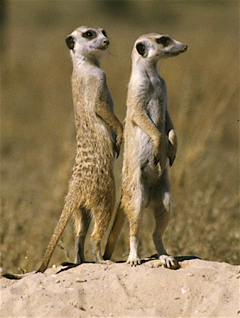
Lucid. Lucid Lynx is version 10.04 LTS of Ubuntu. Imagine my surprise (and delight) to see that each Ubuntu release has a cool, alliterative name, such as Dapper Drake, Jaunty Jackalope, Karmic Koala, and Maverick Meerkat, the latest (as of the Wikipedia article's last update). Which makes sense, because as I scroll through the thread titles, I see all of these terms. It's actually a bit more comforting to know that since these are all  
                versions of Ubuntu,
these terms that are listed in the forums aren't all different words to learn-- they're all versions of the same thing.

Lastly, in my journey, the Gwibber. What is the Gwibber, you ask? Good question, my friend. The answer is not as exciting as I would have hoped. It sounds like the language of Gnomes, doesn't it? Well, actually, it's a microblogging client that supports the most common social computing platforms, such as Facebook, Googlereader, Digg, and, of course Twitter, from which it probably derived its name. Since it works in Gnome, I guess it is kind of a Gnome language, and I prefer to think of it that way. Almost all the threads I looked at regarding Gwibber were problems, mostly that it would not install, especially after the user had upgraded to the next version of Ubuntu. Some of the Gwibber problems are known issues with patches and fixes being worked on. Again, friendly people helping other people. Nice to see!

And so ends my first journey in the Ubuntu Forums. To summarize, the Meerkats were fed up with their grub problem and called upon Gnome Power for help. The Gnomes sped to the rescue in their Plymouth Duster and destroyed all the grubs with a resounding bootsplash and a hurrah in their native Gwibber.  

And there was much rejoicing.